
How to Convert Hexadecimal to Binary Easily
Learn how to convert hex to binary effortlessly 🔢. Understand methods, practical uses, tips to avoid errors, and apply conversions in tech and data fields!
Edited By
Isabella Green
Binary calculators play a vital role in the digital systems underpinning markets and tech-driven industries worldwide, including here in South Africa. Unlike standard calculators that work with decimal numbers, binary calculators operate on binary numbers — just zeroes and ones. This simple system may seem basic, but it forms the foundation of all modern computing and digital communication.
At its core, a binary calculator executes arithmetic and logical operations using the binary number system (base-2). This means it adds, subtracts, multiplies, or divides numbers expressed only as sequences of 0s and 1s. Each digit’s position represents an increasing power of two, unlike the decimal system, which is based on powers of ten.
Understanding how binary calculators work is especially valuable for traders and analysts dealing with algorithmic trading systems, financial modelling, and digital security, where data often exists in binary form.
Binary calculators convert traditional decimal input into binary before performing the calculation and then convert the result back into decimal for display. Their ability to follow precise, simple rules for binary operations allows them to process complex computations rapidly and accurately.
Algorithmic Trading: When algorithms crunch market data, binary calculations speed up decision-making by working directly on the binary-coded information from electronic trading platforms.
Data Encryption: Binary logic underpins cryptographic tools that secure online transactions and sensitive financial data.
Learning and Simulation: For professionals upskilling in coding or financial software development, binary calculators offer an easy entry point to understanding computer logic.
For South Africans working with local fintech startups or global platforms, mastering binary calculator basics strengthens digital literacy and promotes smarter tech adoption. Plus, with the rise of mobile data costs, knowing how data compresses and operates at a binary level can save precious megabytes.
In the next sections, we'll explore exactly how binary calculators handle operations, step by step, and highlight some handy tips for integrating these tools into your workflow without stressing over the technical jargon.
Understanding binary numbers is key when exploring how binary calculators work. These systems are the foundation of all modern computing and digital technology, from the simplest calculators to the most complex trading algorithms used in banks and financial institutions in South Africa. Knowing how binary numbers function helps traders, analysts, and consultants grasp how data is processed at the most fundamental level.
Binary is a base-2 number system that uses only two digits: 0 and 1. Unlike the decimal system, which uses ten digits (0 through 9), binary reflects how computers store and process information — through electrical signals being on (1) or off (0). This simplicity makes it highly efficient for digital circuits but less intuitive for humans without some conversion.
The significance for traders and analysts comes from understanding that all data—from stock prices to market signals—is eventually reduced to binary form before being processed by software and hardware. For example, an algorithm in a trading platform translates complex market data into binary codes before calculating risk or potential outcomes.
Decimal (base-10) is the system we use every day because of comfort and historical reasons, likely derived from having ten fingers. Each digit’s position denotes a power of ten — units, tens, hundreds, and so on. Binary, however, uses position values based on powers of two. So, while the decimal number 5 equals “5” in decimal, in binary it’s written as 101, meaning (1x4) + (0x2) + (1x1).
While decimal suits human counting, binary fits digital processes. Most calculators and software first convert decimal inputs into binary internally, perform their calculations, then translate results back into decimal for users. This underlines why traders and technologists benefit from understanding the binary system — it’s the language computer systems speak.
Bits or binary digits are the smallest unit of data in computing. Each bit represents a single 0 or 1. Multiple bits combine to create more complex data. For instance, eight bits make up a byte, which can represent values from 0 to 255. This byte is the basic building block for everything digital, from representing a character in text to encoding colour in images.
For investors and brokers using digital platforms, knowing bits matter because financial data is transmitted and processed bit by bit. Network speeds, encryption strength, and data accuracy all depend on bit-level operations, impacting how swiftly a trader can act on market changes.
Like decimal place values go from units to tens to hundreds, binary place values increase by powers of two as you move left. For example, in the binary number 1101, the rightmost bit is the least significant (1’s place), next is 2’s place, then 4’s, and finally the 8’s place. So, 1101 equals (1×8) + (1×4) + (0×2) + (1×1) = 13 decimal.
This positional value system explains why sometimes adding a simple binary digit can cause a carry-over, much like adding in decimal. Grasping this helps analysts verify calculations and understand how data errors might arise in complex systems.
In short, binary numbers and bits form the fabric of digital information processing. For South African users involved in trading or tech, this knowledge is practical armour for navigating electronic systems efficiently.
Understanding how binary calculators function is key for traders, analysts, and consultants who deal with digital systems or data analysis tools. These calculators process binary numbers, the backbone of all computer data, by performing arithmetic and logical operations directly on 0s and 1s. This means they translate complex digital logic into straightforward calculations, making tasks like programming, digital circuit logic testing, and data conversion easier and more efficient.
Performing binary addition and subtraction involves applying rules similar to decimal arithmetic but constrained to two digits—0 and 1. Binary addition adds digits bit by bit, carrying over when sums exceed 1 (for example, 1 + 1 results in 10 in binary). This basic operation underpins much of digital computing, enabling calculations within microprocessors and financial modelling systems that rely on binary logic. Subtraction works through complements—primarily two’s complement—allowing negative numbers to be handled efficiently within the same binary structure.
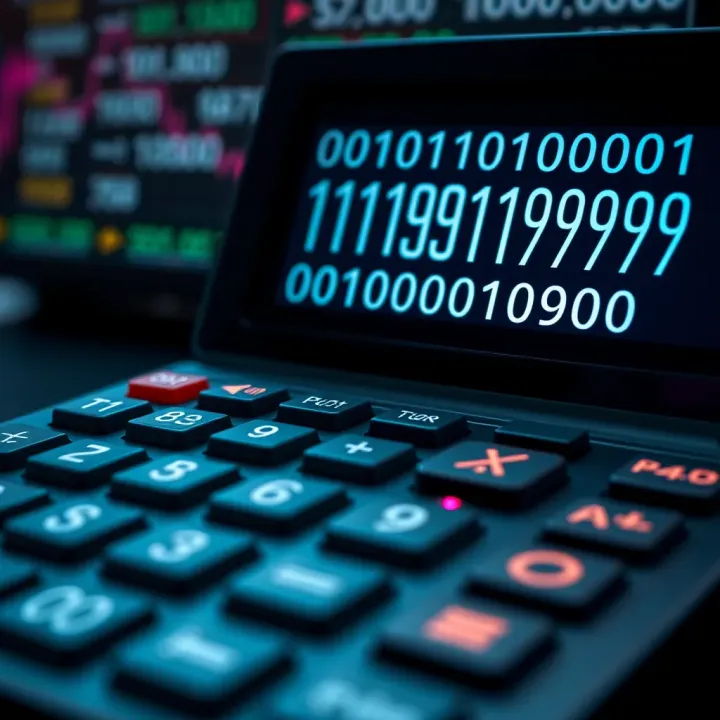
Practically, businesses using binary calculators or software implementing these functions can automate conversions between binary and decimal to verify data integrity in computing systems or simulate digital transactions. This is relevant when auditing systems' performance or debugging algorithms, which often require accurate binary maths.
Handling multiplication and division is a more involved process but follows systematic steps akin to decimal methods. Multiplication in binary entails shifting and adding, where each binary digit in one number is multiplied by the entire other number, then appropriately shifted to the left. Division is essentially repeated subtraction and shifting. These operations help professionals working with hardware simulations or cryptographic computations where large binary numbers must be processed without converting back to decimal form.
AND, OR, NOT, XOR explained: These are fundamental logical operations acting on binary digits. AND returns 1 only if both bits are 1; OR returns 1 if either bit is 1; NOT flips a bit from 0 to 1 or vice versa; XOR returns 1 if the bits are different. These simple yet powerful operations are the basis for digital logic design and programming conditional statements.
For example, when building a digital security system, XOR gates help encrypt data by toggling bits based on encryption keys. In financial algorithms, logic gates evaluate multiple conditions quickly, like verifying transaction flags or error checks.
How these operations affect binary calculations: Binary calculators use logic operations to control data flow, error detection, and decision-making processes. Combining arithmetic with logical operations enables complex calculations like masking bits (isolating certain parts of data) or flag checks (determining status codes).
Logical operations are not just theoretical—they directly enable the devices and software underpinning our electronic banking, trading platforms, and reporting tools to function accurately and swiftly.
In brief, understanding these operations offers traders and consultants insight into how digital data is manipulated behind the scenes, enhancing their ability to work confidently with tech-driven financial systems. The binary calculator’s dual role in arithmetic and logic is what makes it a valuable tool in the digital age.
Binary calculators offer practical value beyond just theory; their role in computing and education shapes how we engage with digital technology daily. These tools simplify complex binary operations, making them accessible for professionals and learners alike. To appreciate their usefulness, it's worth exploring their applications in real-world scenarios.
In programming, binary calculators help developers understand how data is processed at the lowest level. When coding in languages like C or assembly, where direct memory manipulation often occurs, knowing binary arithmetic and logic operations is critical. Debuggers sometimes show memory addresses and data in binary or hexadecimal, so a quick binary calculation can clarify potential errors or unexpected behaviours.
For example, a programmer fixing bitwise operation bugs or mask values can use a binary calculator to verify if bits flip correctly or if the intended flags are set. This is particularly relevant when debugging embedded systems or low-level device drivers, common in sectors like manufacturing or telecoms within South Africa.
Designing digital circuits relies heavily on binary maths. Engineers use binary calculators to simulate logic gate functions and help plan circuits before physical prototypes are built. Calculating truth tables, checking binary sums, and verifying output signals' correctness are essential daily tasks.
In practice, whether you're designing a controller for an industrial machine or creating a microcontroller program for an IoT (Internet of Things) device, the precision gained from binary calculators reduces the risk of faults. This saves time and resources, both precious when dealing with limited budgets or tight project timelines.
For students tackling computer science or electrical engineering, binary calculators are valuable learning aids. Instead of getting bogged down by manual conversions and calculations, learners can focus on grasping concepts like binary addition, subtraction, or logic operations.
Imagine a National Senior Certificate learner experimenting with binary sums for the first time; using a binary calculator clarifies rules and demystifies the process. This practical exposure lays a foundation that’s crucial for advanced courses in programming, networking, or hardware.
Beyond academics, binary calculators sharpen general problem-solving abilities. Working with binary numbers trains the mind to think systematically and understand how digital systems encode information.
Hobbyists tinkering with microcontrollers or Raspberry Pi projects often use these calculators to debug and optimise code or hardware setups. Such hands-on problem-solving nurtures logical thinking, which transfers well to other tech challenges or even financial modelling and data analysis tasks.
Using binary calculators trains precision and clarity in digital reasoning, skills increasingly vital in South Africa’s expanding tech landscape.
In short, these calculators bridge theory and practice, helping users from learners to engineers to interact confidently with the binary foundation of modern technology.
Using a binary calculator effectively is essential for traders, investors, and analysts who regularly work with digital data or computer-based systems. Knowing how to input binary numbers and select logical operations correctly speeds up calculations and reduces errors, especially when dealing with complex financial or technical data that requires binary processing.
Most binary calculators have user-friendly interfaces that accept binary digits (bits) entered as sequences of 0s and 1s. This direct entry is crucial because it avoids the need to convert numbers to decimal before calculating, saving time. For example, entering the binary number 1011 directly represents the decimal number 11, which makes calculations more straightforward in fields such as digital trading algorithms or blockchain analysis.
Some calculators support click-based input with buttons labelled 0 and 1, while others allow typing on your keyboard. Ensuring you input the correct bit length, such as 8-bit, 16-bit, or 32-bit numbers, affects the calculation’s accuracy, especially when handling larger data sets or financial models.
Binary calculators typically offer basic arithmetic operations like addition, subtraction, multiplication, and division, alongside logical operations such as AND, OR, NOT, and XOR. Selecting the right operation impacts the output significantly. For instance, analysts simulating risk models might use XOR to compare two binary patterns, while traders programming automated decision rules might rely more on arithmetic operations.
Choosing operations usually involves clicking on the desired function button after inputting the first binary number. Some calculators also provide dropdown menus or shortcuts for quicker selection. Understanding the operation helps you interpret the results accurately and apply them practically.
Adding binary numbers is fundamental in binary calculations and finds applications in various financial models that use binary data structures. For example, if you add 1010 (decimal 10) and 1101 (decimal 13), the calculator performs bit-by-bit addition with carries where necessary. The result, 10111 (decimal 23), reflects precise binary summing without the need to convert back and forth between systems.
This process helps investors automate summations in programming environments or evaluate binary-coded data without loss of precision, which is crucial in high-frequency trading systems.
Multiplication in binary calculators is similar to long multiplication but done base 2. Multiplying 101 (decimal 5) by 11 (decimal 3) results in 1111 (decimal 15). The calculator handles carries and shifts internally, allowing you to focus on the outcome rather than the complex manual steps.
This is especially useful for analysts developing binary algorithms or engineers designing digital circuits for financial tech hardware, where accurate binary multiplication ensures reliable system performance.
Practising these examples with your binary calculator will boost your confidence and help you spot errors early, particularly when handling binary data that drives technical decision-making in trading and analytics.
Using binary calculators isn’t just about pressing buttons; it’s about understanding the logic and mechanics behind the operations so you can apply them effectively in your work environment.
Selecting the right binary calculator can make a significant difference in how efficiently you tackle binary maths or digital logic problems. Whether you are a trader analysing binary data, an investor working with digital algorithms, or a consultant teaching binary principles, the choice hinges on understanding your application and the tool’s capabilities. A well-suited calculator will save time, reduce errors, and fit smoothly into your workflow.
Binary calculators come in two main types: online tools and physical devices. Online binary calculators are accessible from any device with an internet connection. They require no installation, making them highly convenient if you need quick calculations while on the go or working remotely. For example, traders can quickly perform binary conversions or logic checks on their laptops or mobiles without loading extra software.
Physical binary calculators, on the other hand, are dedicated gadgets or software installed on specific devices. They often support more advanced functions and run faster without relying on internet speed or connectivity. These are well suited for engineers or analysts who frequently manipulate large binary datasets or perform repetitive calculations, needing reliability without interruptions.
Not all binary calculators are created equal in the operations they support. Some handle basic arithmetic like addition, subtraction, multiplication, and division in binary. Others extend to bitwise logical functions such as AND, OR, XOR, and NOT. Having these logical operations is essential for professionals engaged in digital circuit design, cryptography, or software development to simulate real-world binary processes.
Additionally, calculators supporting mixed base operations—switching between binary, decimal, hexadecimal, or octal—offer flexibility. This is particularly handy when you deal with programming or hardware debugging, where you often need to cross-reference different number systems. Choosing a calculator that matches your operational needs ensures you won't hit limitations mid-task.
For South African users, software like "BinaryCalc Pro" and online platforms such as "RapidTables" have gained a reputation for reliability and user-friendly interfaces. Local universities and tech forums often recommend these tools because they blend simplicity with powerful functionality, catering to both beginners and experts.
These trusted platforms are updated regularly, ensuring compatibility with the latest operating systems and adding new features based on user feedback. Their support for various binary operations makes them practical for traders needing quick conversions as well as engineers developing binary-coded systems.
While advanced calculators can be pricey, there are affordable and even free options suited to most budgets. Many mobile apps available on Android and iOS platforms offer full binary calculator functionalities without costing a cent. Examples include "Binary Calculator" by Web Worlds and "CalcPro" which are well rated for their ease of use.
These options are accessible to students, hobbyists, and professionals in South Africa who may not have the budget for expensive software. They typically function offline after download, accommodating users facing data costs or intermittent connectivity. This accessibility supports digital literacy growth and practical learning across diverse communities.
Choosing a binary calculator isn’t just about features or price — it’s about matching the tool to your specific use case, whether you juggle complex trading algorithms, teach binary math, or build digital circuits.
Learn how to convert hex to binary effortlessly 🔢. Understand methods, practical uses, tips to avoid errors, and apply conversions in tech and data fields!

🔢 Learn how to convert hexadecimal numbers to binary step-by-step with clear examples and practical tips, perfect for computing enthusiasts and digital tech users in South Africa.
💡 Learn how to convert decimal fractions to binary with clear steps, real examples, and tips to overcome common pitfalls in digital computing.

Explore how the gender binary shapes South African society, its impact on non-binary individuals, and the rise of gender diversity 🌍👫⚧
Based on 6 reviews